

Whether you want to send an email when someone signs up for your newsletter or you want to build complex automation with AI models from OpenAI, n8n makes it all possible.
What is n8n?
n8n is an automation tool for technical people. It helps to connect various external services, synchronize data, make custom API requests and much more.
You need a certain basic technical understanding, but no specific coding skills for most things. Most of it works via n8n’s intuitive user interface. And if that’s not enough, you can extend the functionality with JavaScript, Python, or even entirely external programs.
How to use n8n?

There are two different ways to use n8n, with a self-hosted version of their source-available software, or with their own cloud service, directly from the browser.
How to Set Up n8n Self-Hosted
If you want to use n8n permanently free of charge, you must use the self-hosted version. In this case, n8n provides the code and you have to make sure that the service runs as desired on your server or computer.
If you want to find out how to self-host n8n, click here to go to their documentation.
For beginners and those who do not want to or cannot take care of the operations of n8n, the cloud service is usually the better decision due to its stability and simplicity.
Getting Started with n8n cloud
The cloud version of n8n offers an easy start and many possibilities to start directly with the first automation without having to worry about the operation of the software itself.
For most people, the cloud version is the better alternative. If you want to know how to set up your n8n Cloud account, click here for a detailed tutorial.
Basic Concepts
In order to understand what possibilities you have with n8n and what different types of automation you can build, it is important to understand the core concepts behind the n8n software.
Workflows
With n8n, workflows are the repositories for your automation. You usually create one workflow per automation, but you can also map several processes in one workflow and move data back and forth between different workflows.
When you open a new workflow, you start with an empty canvas. You can then create your automation within this UI.
Nodes
Within workflows, you work with nodes in n8n. Nodes are connected to each other using drag and drop to determine the data flow of input and output. There are different categories of nodes.
Trigger
Trigger nodes start your workflow or your nodes that follow the trigger node. You usually only use one such node per automation.

You can use external integrations to define triggers that are based on actions in other programs such as Airtable or Excel, or use “On A Schedule” triggers to run your automation regularly based on time.
You can find a detailed tutorial on trigger nodes here.
Native Integrations
Another large category of nodes is the native integration provided by n8n. These are integrations to hundreds of external services. You can use these integrations to request data from other services, adapt them, or add new data.
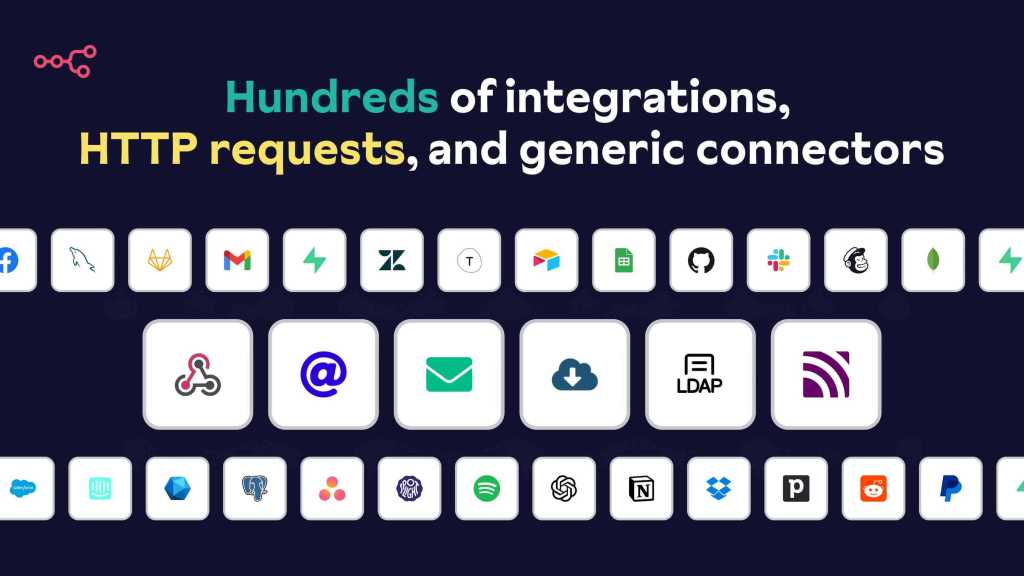
Examples of integrations and their actions:
- Send messages on Slack
- Create new contacts in HubSpot
- Use OpenAI AI models
- Assign GitHub Issues
- Retrieve and update calendar events
If you want to have an overview of all the integrations, have a look here.
Data Manipulation & Logic
In addition to the native integrations that are there to use external services to query or enter data, there are various nodes in n8n that are there to manipulate the data in the workflow and integrate logic into the workflows.
For example, data can first be queried from a database via an integration node and then these nodes can be used to perform the following operations only with the data points that contain certain values.
It is also possible to merge several data streams, filter out duplicates and much more.
Extendability
In addition to the services that are supported by n8n through native integration, with a little technical understanding you can also use virtually any other external service with a public interface to extend your workflows with those capabilities.
You can do this with the “HTTP Request” & “GraphQL” nodes, which are designed for REST and GraphQL APIs respectively, making it easy to control external services via these interfaces. Here is an extended guide on extendability capabilities with HTTP Requests.
In addition, you can also insert custom code via Code node to edit data according to your wishes. In most nodes you can also use so-called expressions instead of fixed entries, in which you can also use JavaScript code.
I hope this brief overview has helped you to get a basic understanding of n8n. If you are interested in trying out automation via n8n you can start a 14 day free trial of the cloud version by clicking the button below.
Here you will find specific automation tutorials to help you get started with n8n after you have registered:


 Master Automation with n8n - n8n-automation.com
Leave a comment